One post. Every network. Out on time.
Write once. Crosspine fits it to each network's rules and publishes natively to 12 networks, so your team stops copy-pasting and starts shipping.
Free plan. No credit card.
Publishes natively to 12 networks
- X
- Threads
- TikTok
- YouTube
- Discord
- Mastodon
- Bluesky
Product
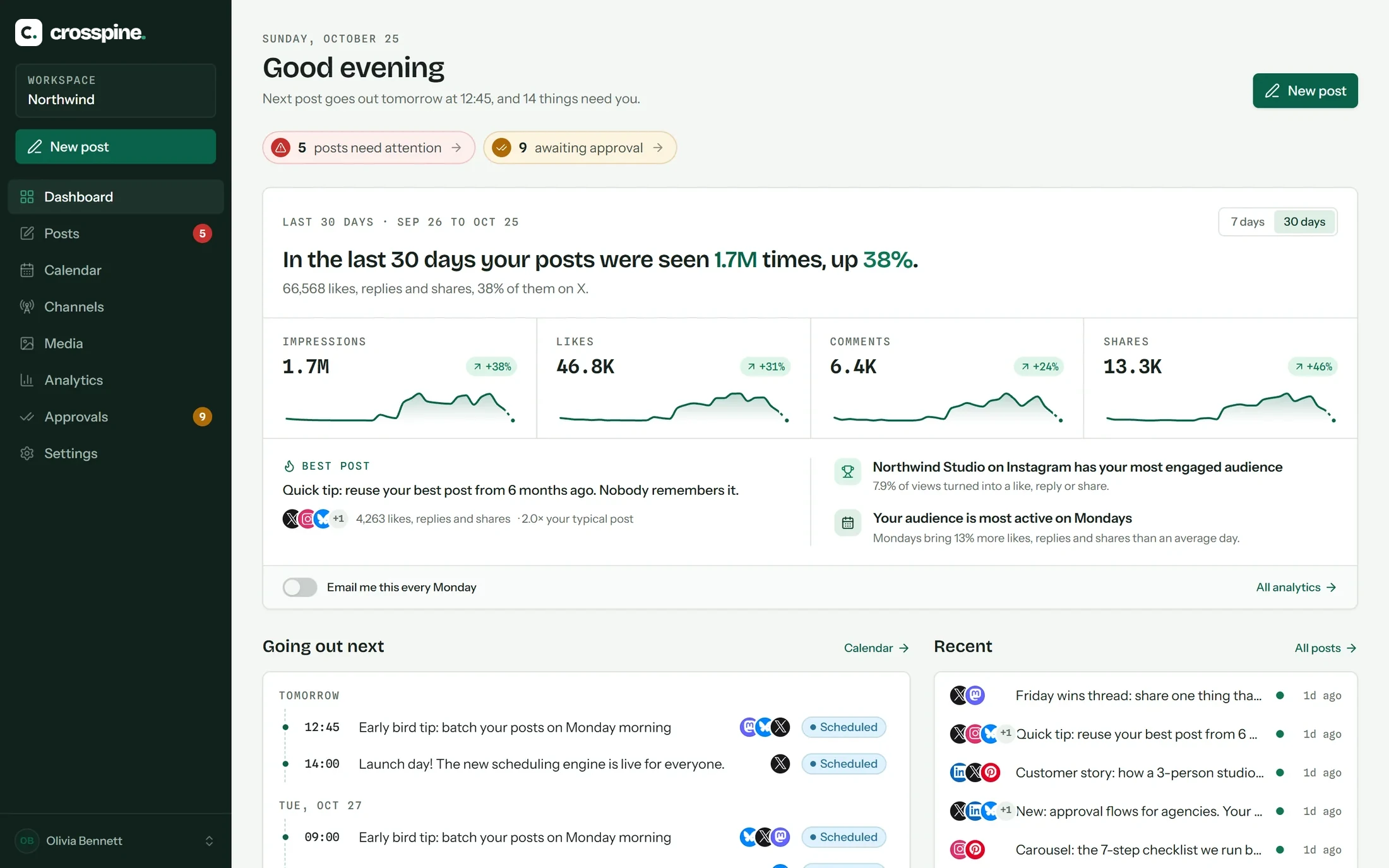
Everything between the idea and the published post.
Write, check, approve, schedule and measure in one place. Every screen below is the real product.
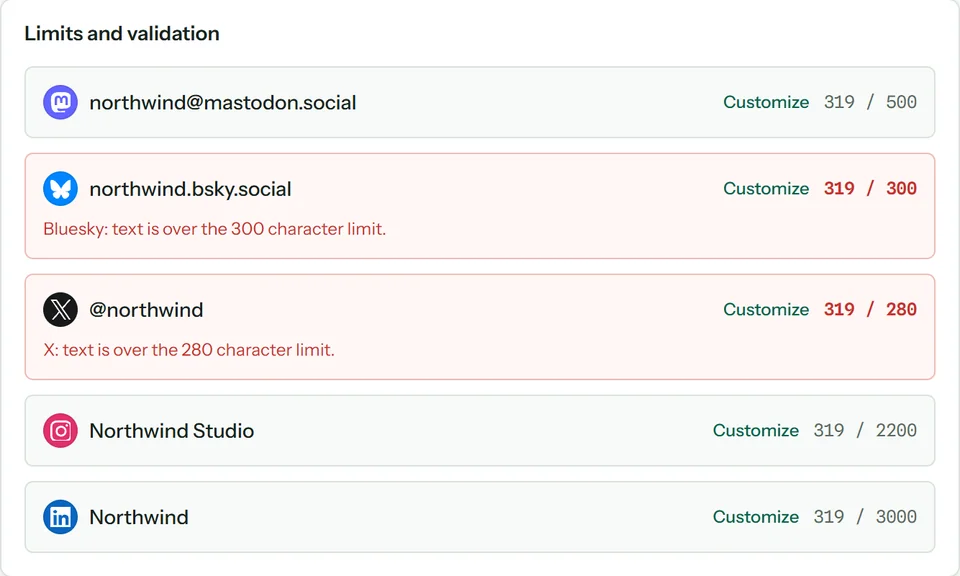
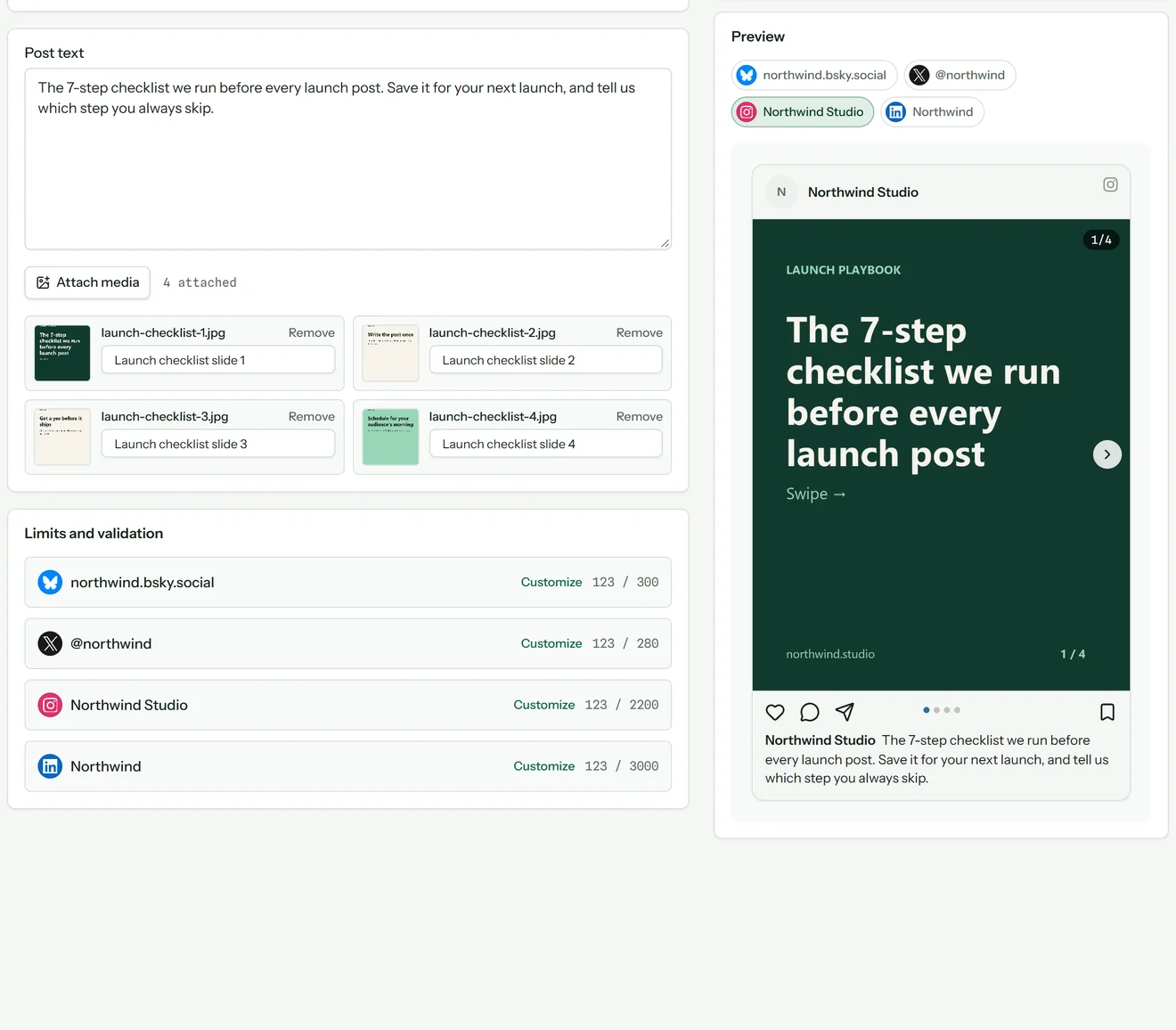
Every network's rules, checked as you type
Character limits, image counts, required media and formats are validated per network before a post can be scheduled. No surprises at publish time.
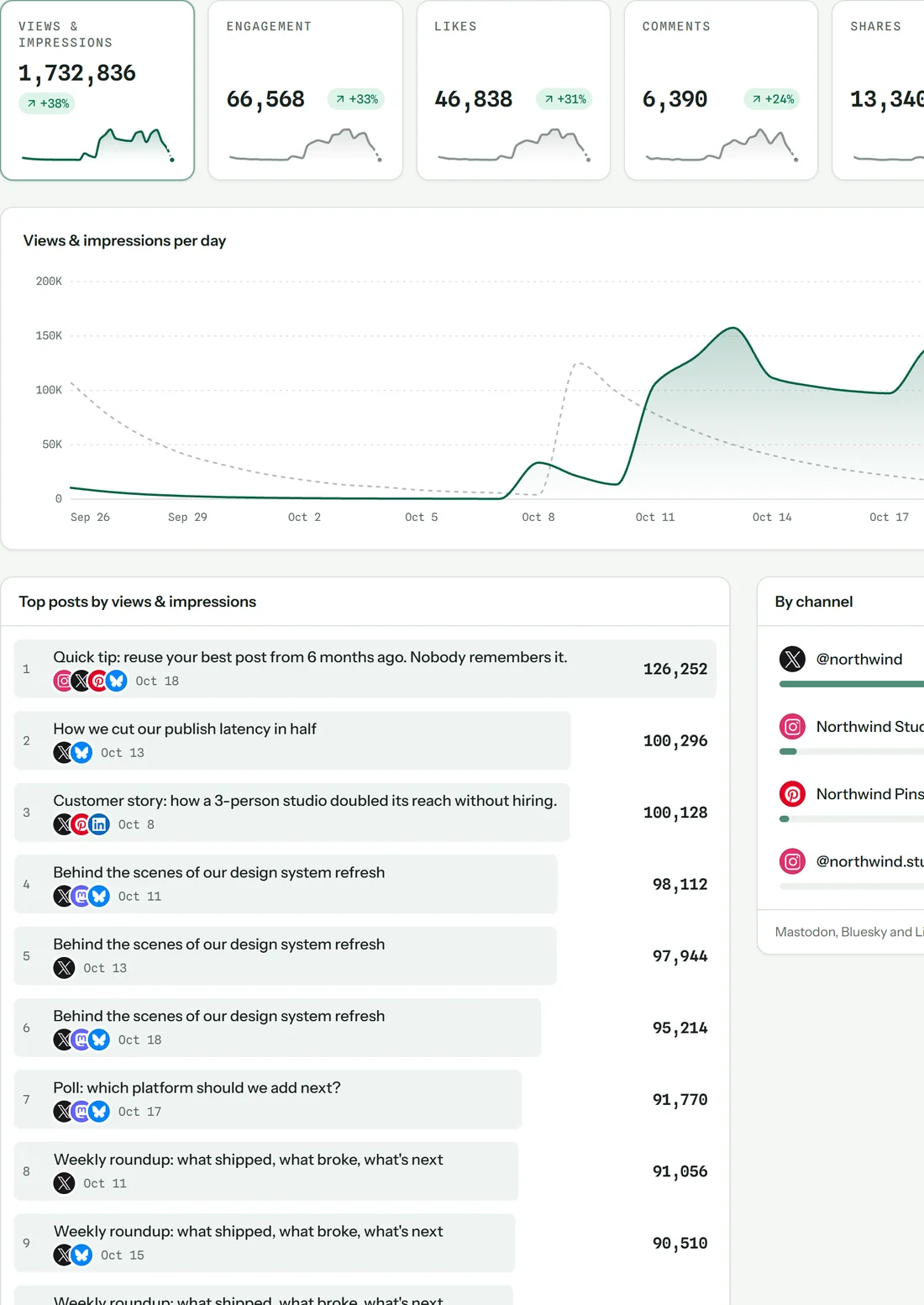
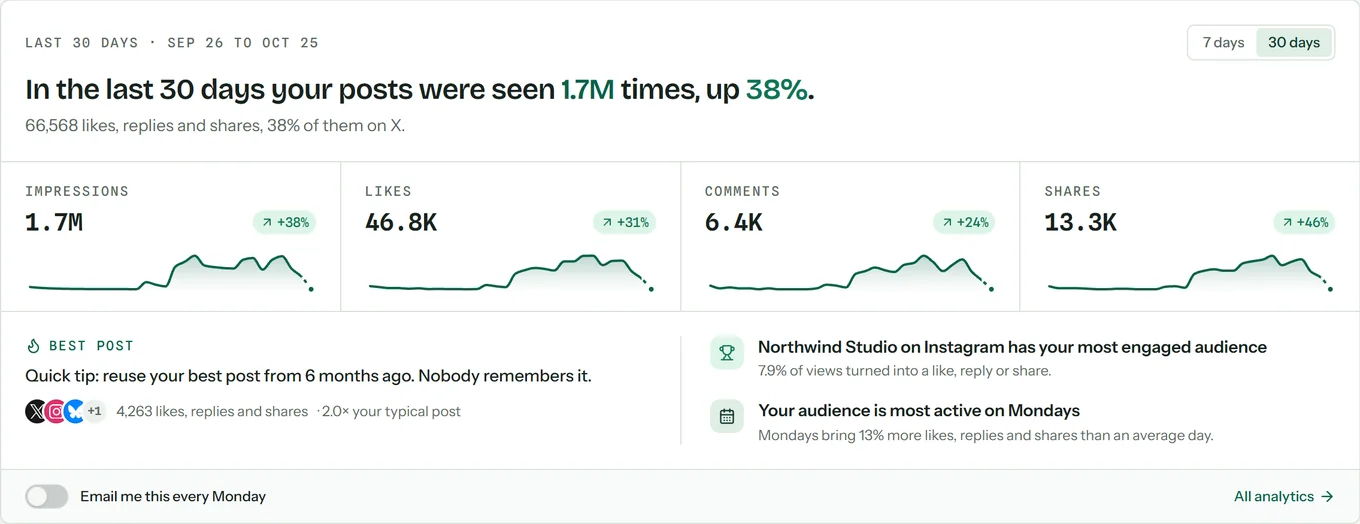
Know what worked
Views, likes, comments and shares across every channel, compared with the period before.
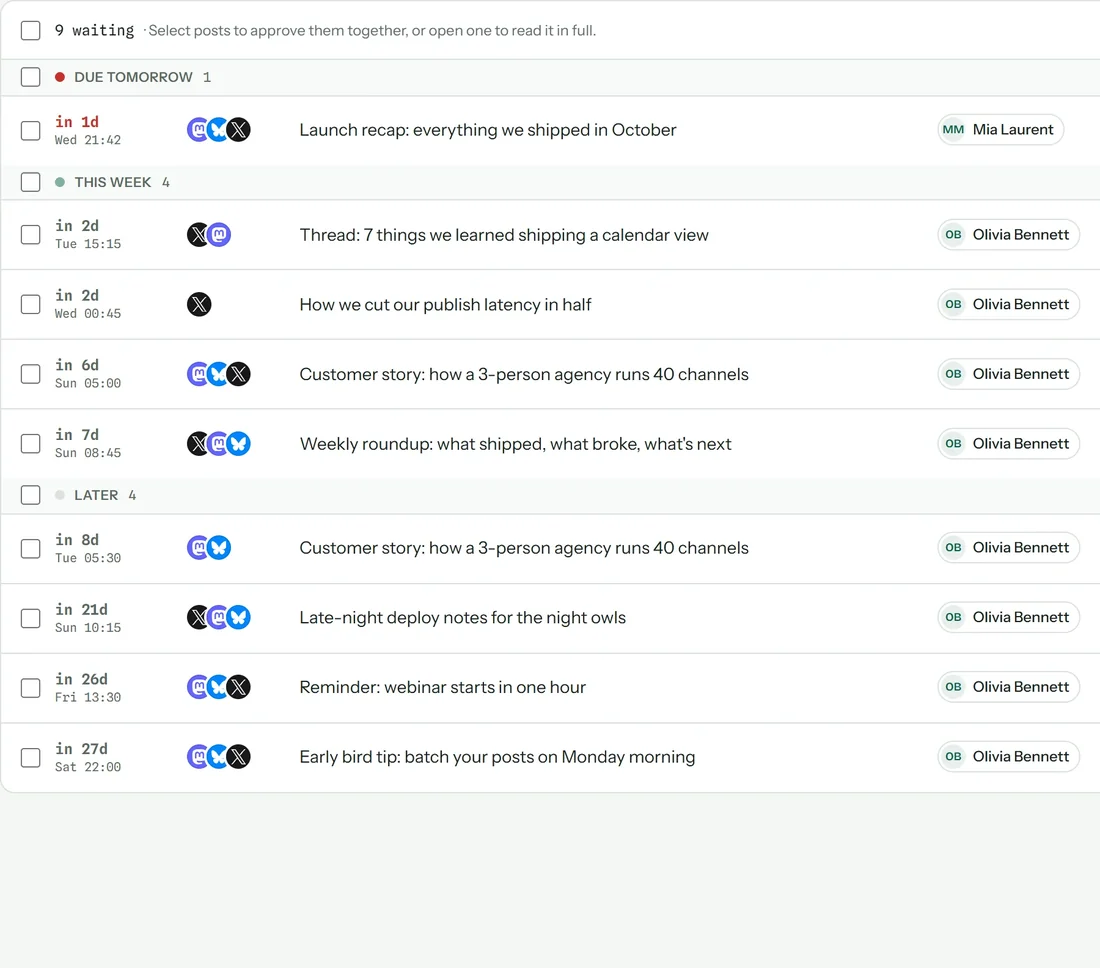
A clear yes before anything ships
Members draft, admins approve. One queue, sorted by when each post goes out.
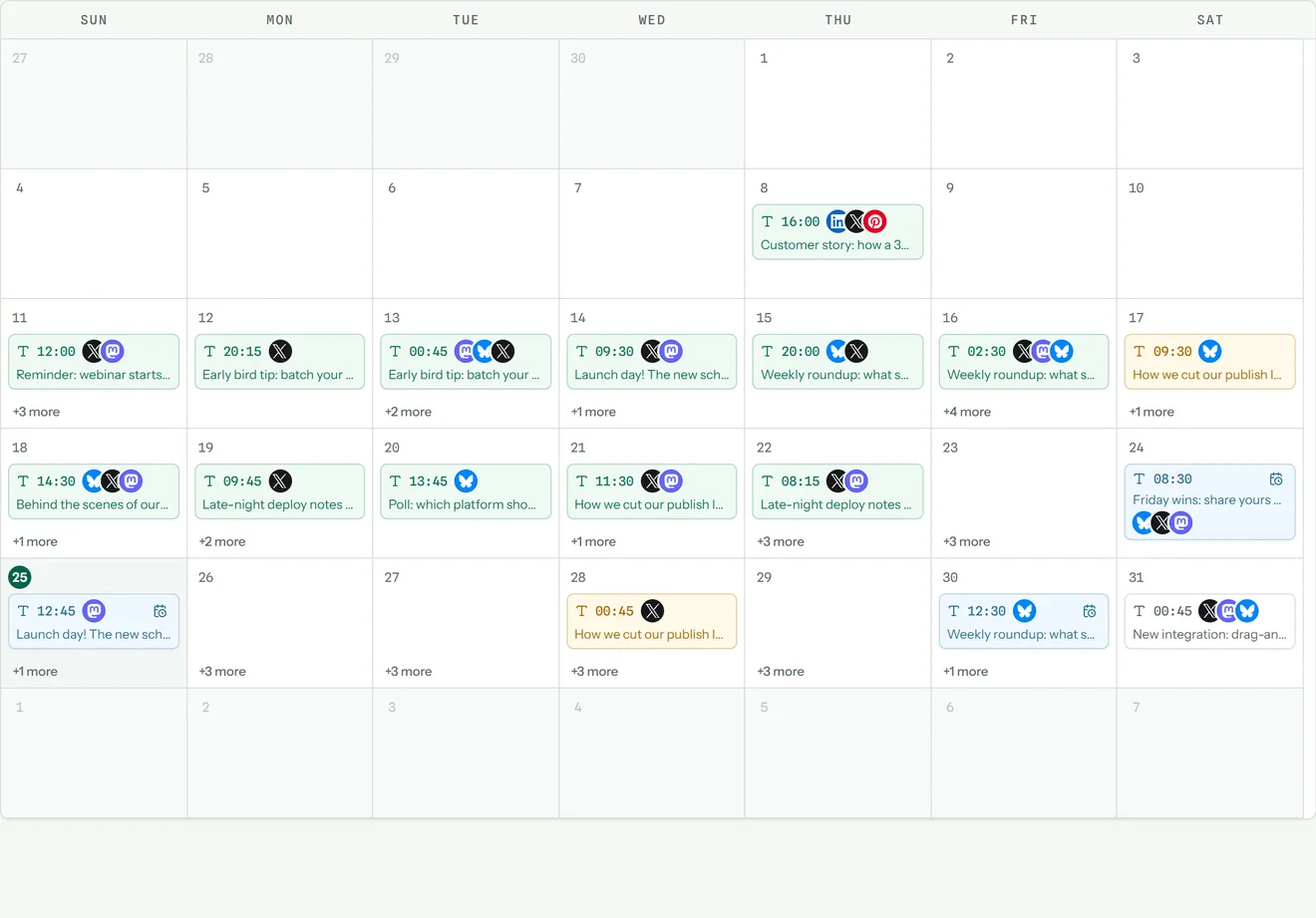
Your whole month at a glance
Every scheduled post on one calendar. Drag a post to another day and timezones are handled for you.
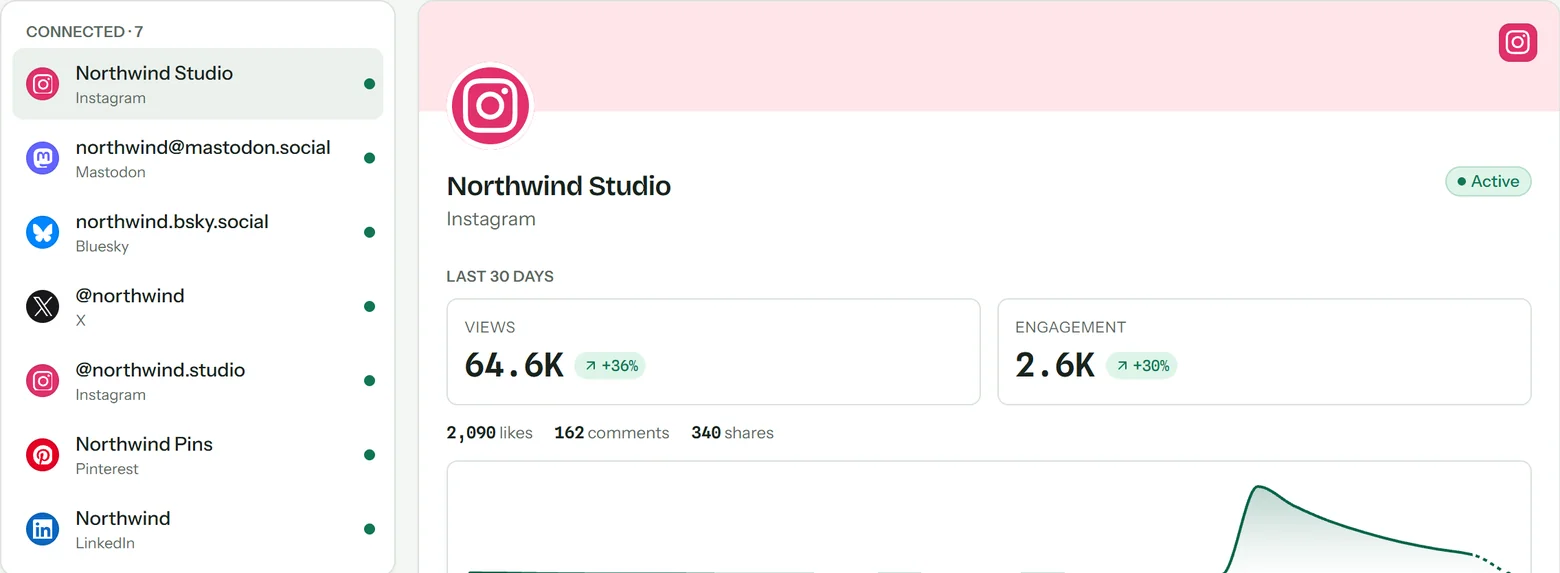
Every account, one place
Connect X, Instagram, LinkedIn, TikTok, YouTube and more with each network's official sign-in. Disconnect anytime and the stored tokens are deleted.
Built for how you work
Solo, with a team, or for every client.
Crosspine scales from one person posting to five networks to an agency running dozens of brands.
You make the content. Posting it six times should not be part of the job.
- Write once and publish to every network you are on.
- See each version before it goes out, fitted to that network's rules.
- Find out which posts actually land, across every channel at once.
Reliability
Built not to miss.
A schedule is a promise. Crosspine keeps it while you are offline, asleep, or busy with something else.
- On the minute, in any timezone
- Pick 9:00 in Sydney and it goes out at 9:00 in Sydney.
- Retried automatically
- Network hiccups are retried before you ever hear about them.
- One failure stays one failure
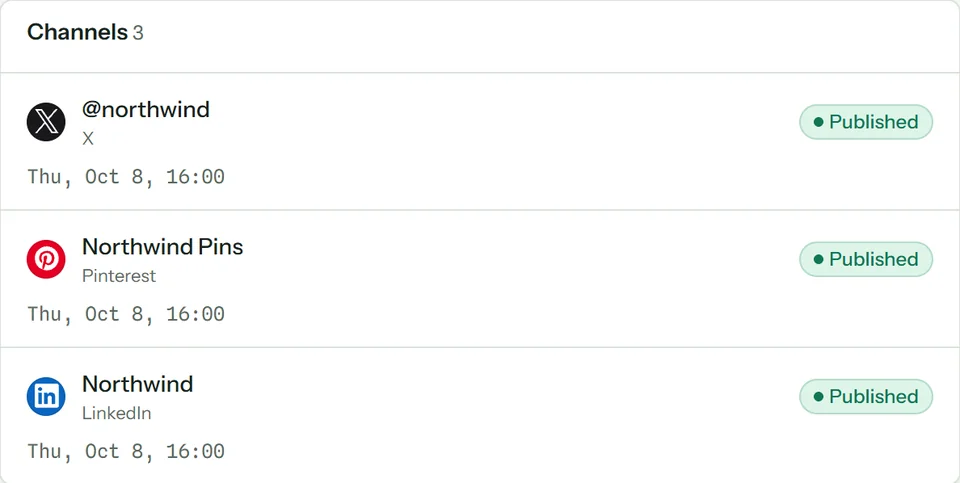
- If one network rejects a post, every other network still publishes.
- Errors kept for you
- Anything that fails waits with the exact reason, ready to fix and retry.
FAQ
Questions, answered.
Still unsure? Join the waitlist and see for yourself.
Does Crosspine publish natively?
Yes. Every post goes out through each network's official API from your connected account, exactly as if you had posted there directly. There is no watermark and no third-party attribution.
What counts as a channel?
One connected account on one network. An X account and a LinkedIn page are two channels. You can connect and disconnect channels at any time from the Channels page.
Do I need a credit card to start?
No. The Free plan needs only an email address, so you can try the whole product before deciding whether to upgrade.
How do approvals work?
Workspace members draft posts; admins and owners review them in the Approvals queue. A post cannot be scheduled past a pending approval, so nothing goes out that the right person has not signed off.
What happens if one network fails?
Each target is tracked separately. If a post succeeds on three networks and fails on a fourth, it is marked partially published, the failing target keeps its error, and the rest stay live.
How are my account tokens stored?
Channel credentials are encrypted at rest with a dedicated key that never leaves your deployment. Disconnecting a channel deletes its stored tokens.
Get early access.
Crosspine is opening in waves. Leave your email and we'll send your invite as soon as a spot opens.
Free plan at launch. No credit card. Already in? Sign in